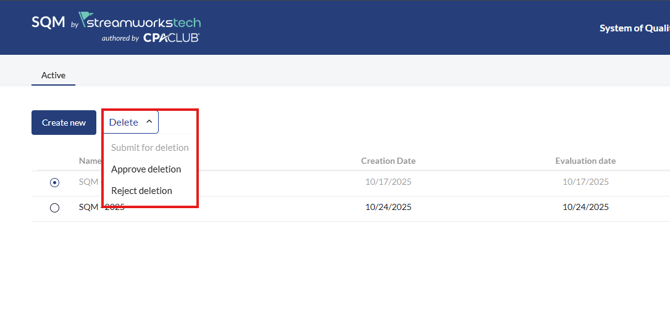
Key Functions
- Creating new SQM Projects
- Deleting SQM Projects
Creating new SQM Projects
You can have multiple projects in the same account.
If no projects exist in the account, you will be automatically prompted to setup an SQM.
You can see this guide here on how to setup an SQM.
Otherwise, if one exists, you can click 'Create New' to begin a new SQM.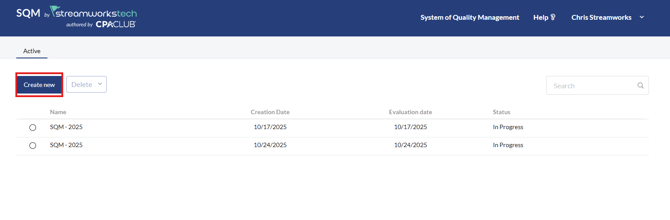
Deleting SQM Projects
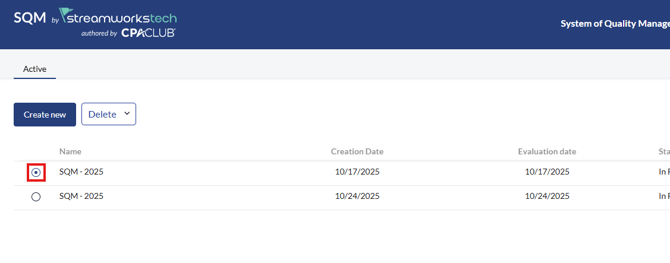
- Select the SQM you want to delete with the radial button.
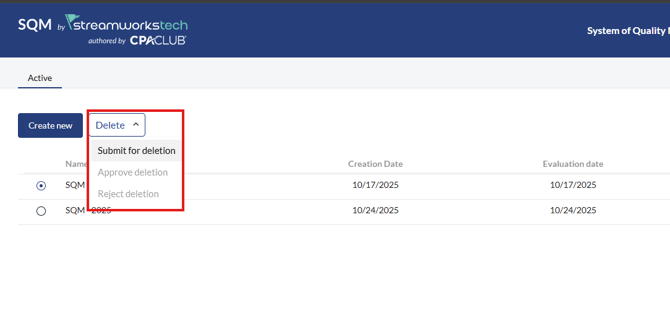
- Click the 'Delete' dropdown and select 'Submit for Deletion'.
- Select the greyed out SQM and click the 'Delete' dropdown again and select 'Approve Deletion'.