
Key Functions
- Uploading Forms
- Deleting Uploaded Forms
- Uploading forms using the Common Tool
Uploading Forms
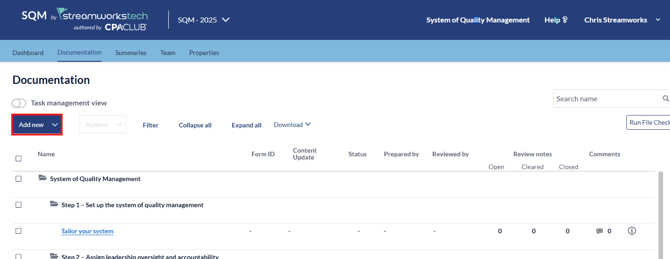
- Click the 'Add New' dropdown.
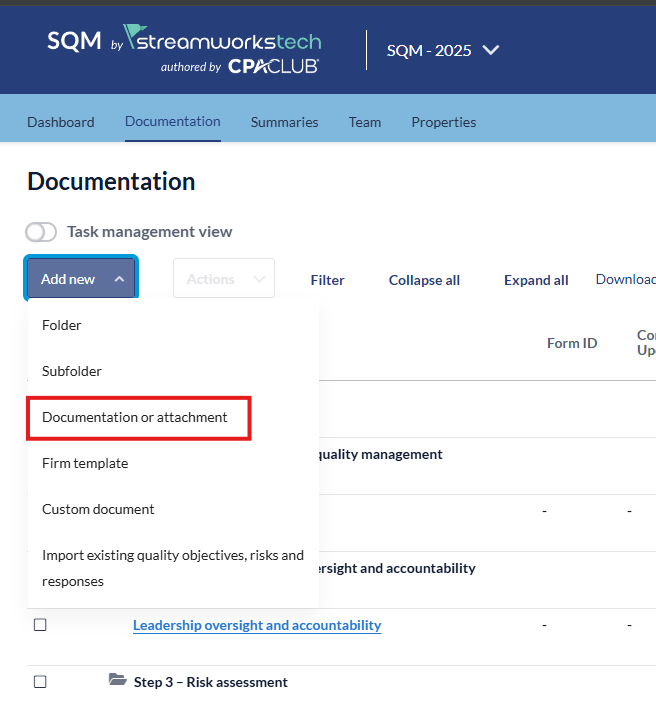
- Select 'Documentation or Attachment'.
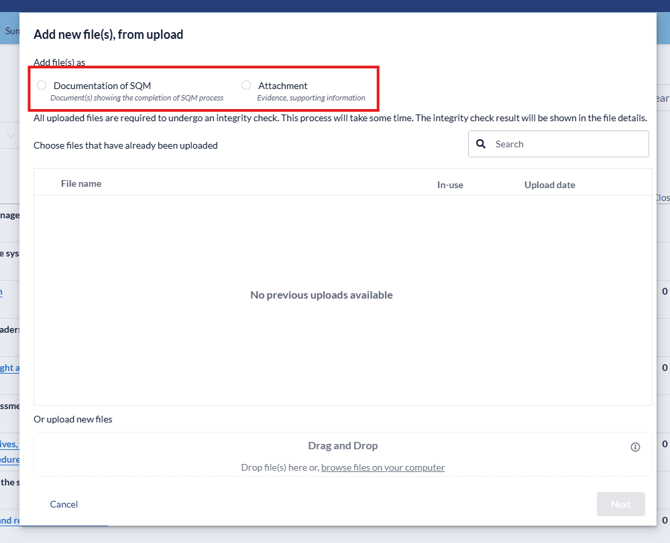
- From the pop up, select whether you want to upload a form as a Documentation or Attachment.
- Select the file you want to upload using the 'Upload' section.
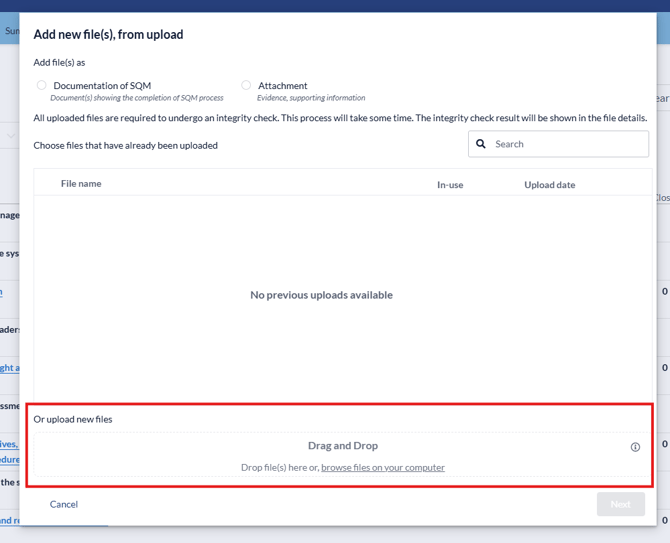
- When the document is uploaded, click next.
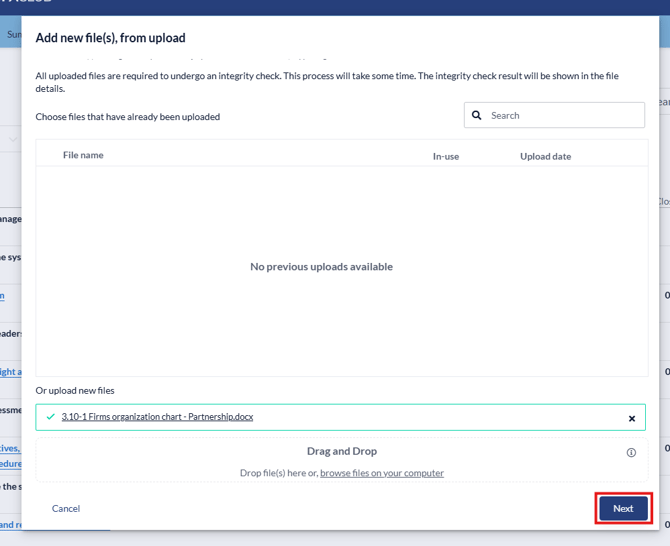
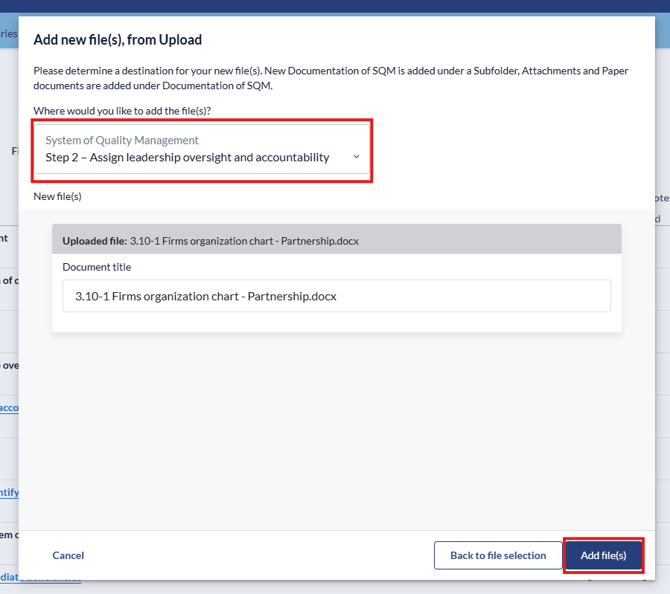
- Select the folder you want to allocate the document to and click 'Add File(s)'.
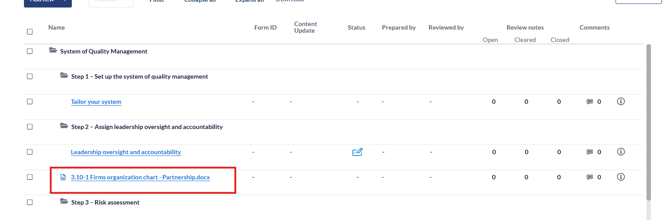
- The file will appear in the folder selected.
Deleting Uploaded Forms
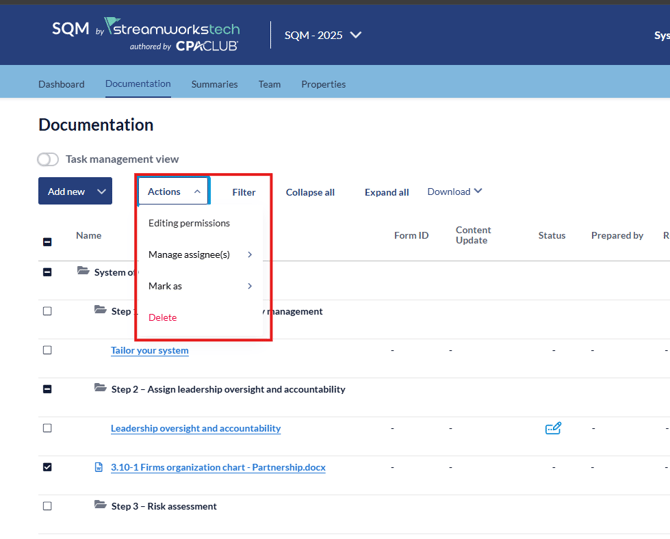
- Click the checkbox on the uploaded form you want to delete.
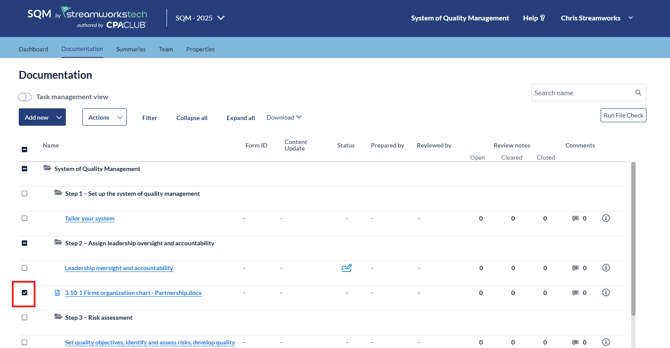
- Click the 'Actions' drop down menu and select 'Delete'.
Uploading using the Attachment Common Tool
Check out this guide on using the attachment common tool.