
Key Functions
- Adding a Tickmark
- Deleting a Tickmark
Adding a Tickmark
- Select the Tickmark option from the common tool dropdown.
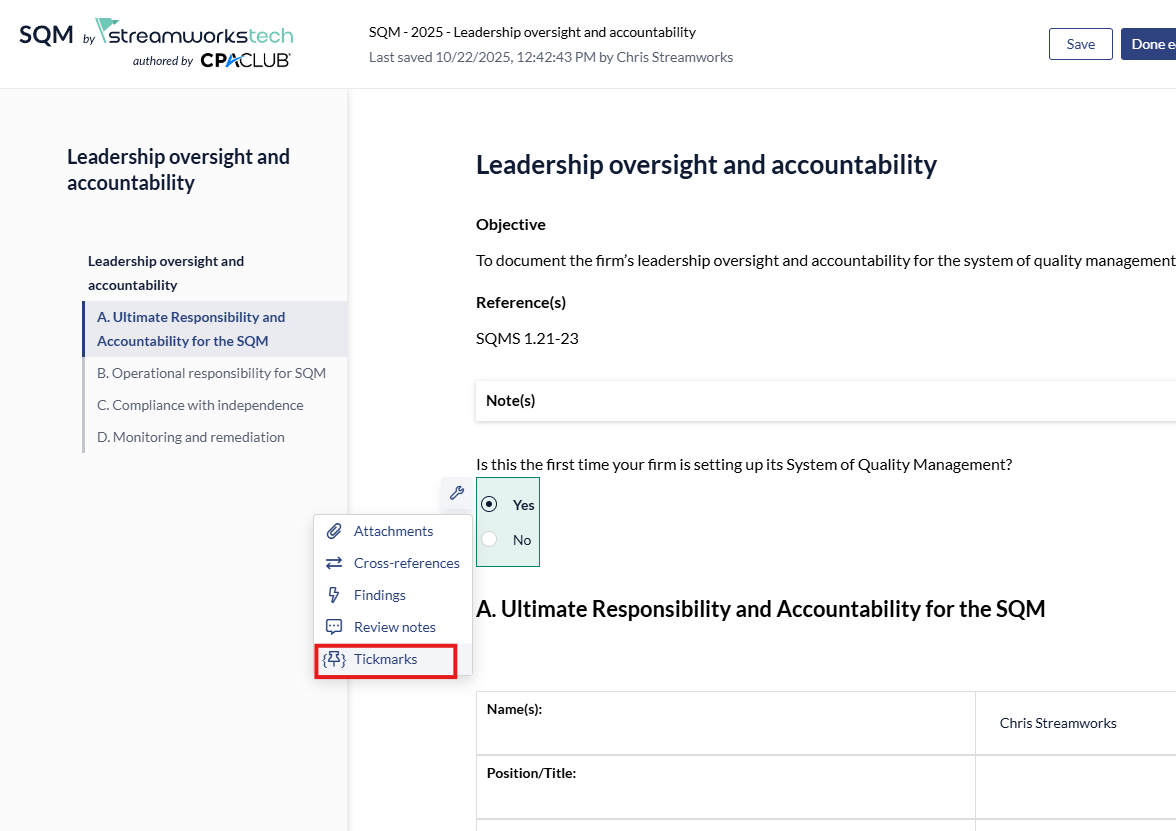
- Click the 'Create new Tickmark' option and leave a description.
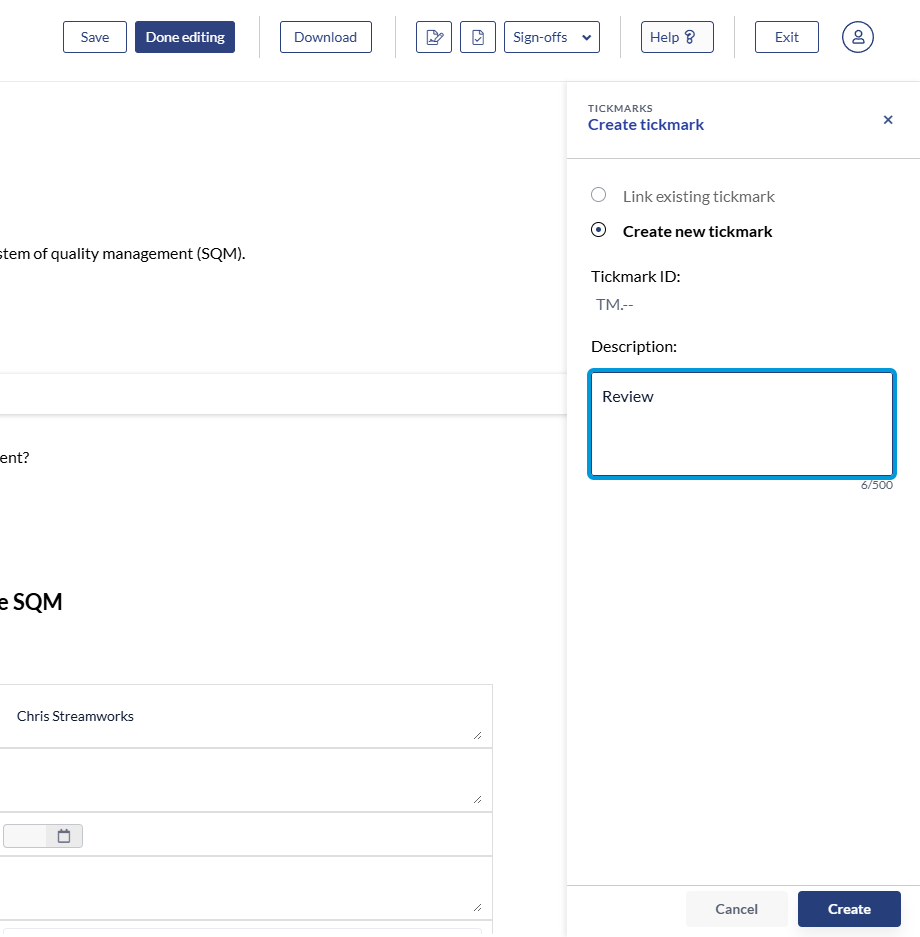
- Click 'Create' to finalize.
- You can then 'Link' other parts of your SQM to a particular Tickmark as well by selecting 'Link existing Tickmark.
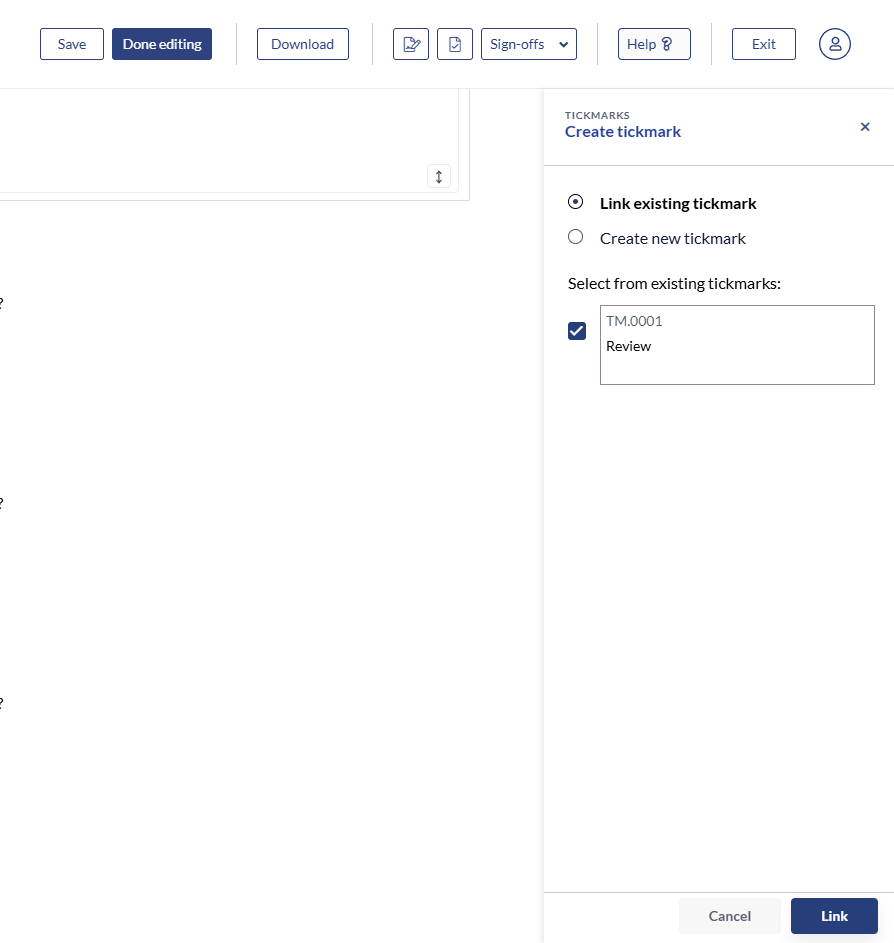
- You would then click 'Link' to finalize.
Deleting a Tickmark
- Click the 'Tickmark' option in the right panel.
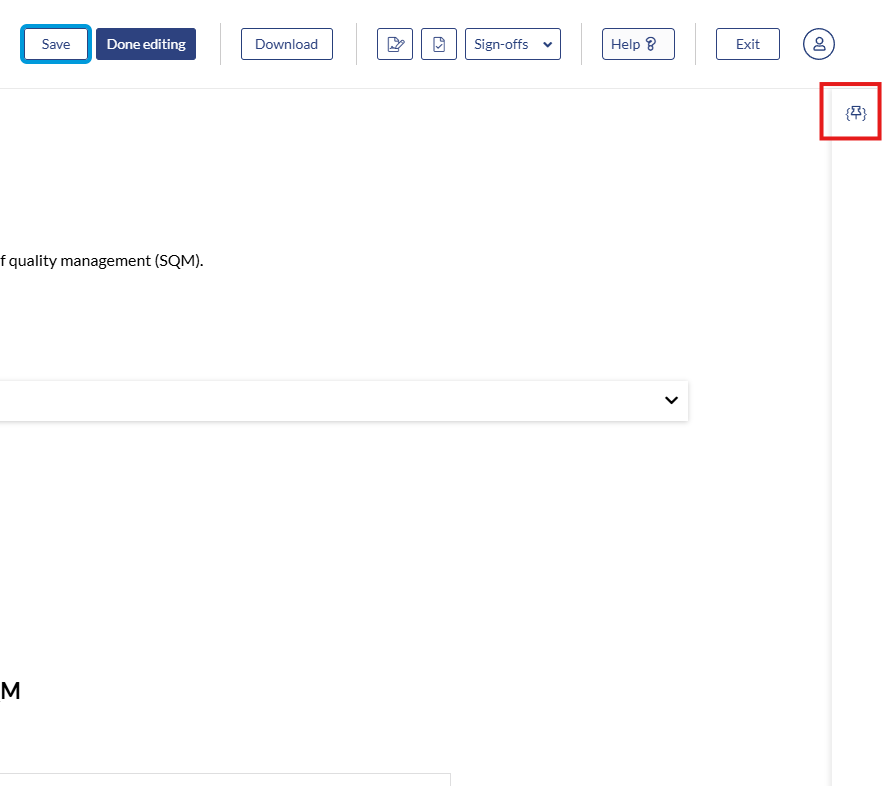
- Click the 3 dot menu and select 'Delete'.
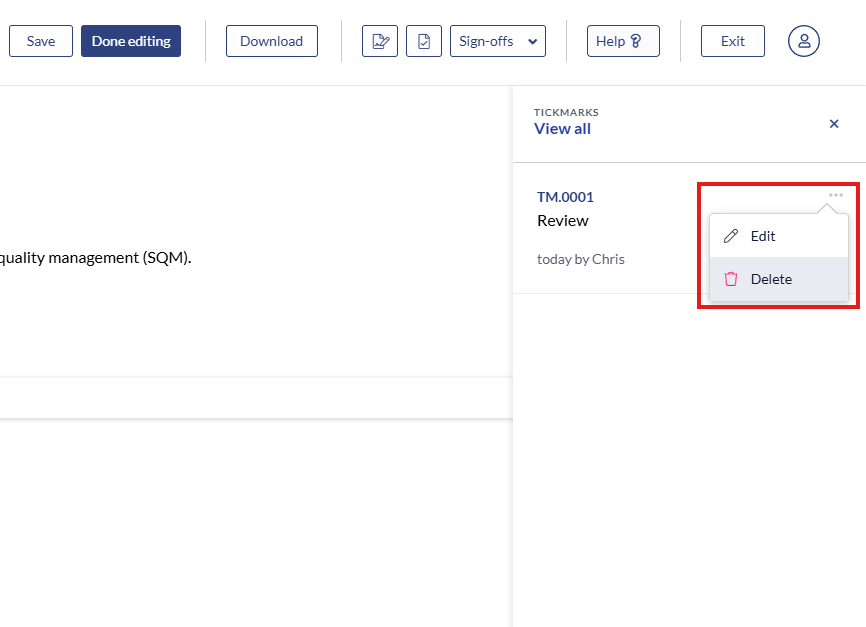
- All instances linked to this Tickmark will also be deleted.