---
title: Preparing and Reviewing Documents
description: Signing off on documents
---
[Skip to content](https://crm.streamworkstech.com/sqmknowledge/preparing-and-reviewing-documents#main-content)
English
Show submenu for translations

Open main navigation
Close main navigation
- English
Show submenu for translations
- [Contact us](https://share.hsforms.com/1PJtrC1B7Squ0Pompg3m5iAeaa0v)
[Contact us](https://share.hsforms.com/1PJtrC1B7Squ0Pompg3m5iAeaa0v)
How can we help you?
- There are no suggestions because the search field is empty.
1. [SQM Guide](https://crm.streamworkstech.com/sqmknowledge?hsLang=en)
2. [User Guide](https://crm.streamworkstech.com/sqmknowledge/user-guide?hsLang=en)
3. [Application Functionality](https://crm.streamworkstech.com/sqmknowledge/user-guide?hsLang=en#application-functionality)
# Preparing and Reviewing Documents
## How to mark a document as prepared so that they can be reviewed and marked.
### Key Functions
- Sign off Status Symbols
- Signing off as Prepared and Reviewed from a document
- Signing off as Prepared and Reviewed from the Documents page
### Sign off Status Symbols
The following status symbols will be found on the Documents page next to the form.
|  | In Progress | The form has been edited, no sign offs have been added |
| --- | --- | --- |
|  | Prepared | The document has been prepared and ready to be reviewed. |
|  | Reviewed | The document has been reviewed for completion. |
### Signing off as Prepared and Reviewed from a document
1. When a document has had all the relevant information put in and it is ready for someone to 'Review a document, they can be marked as 'Prepared'.
2. To do so, this button can be clicked in the top right hand corner.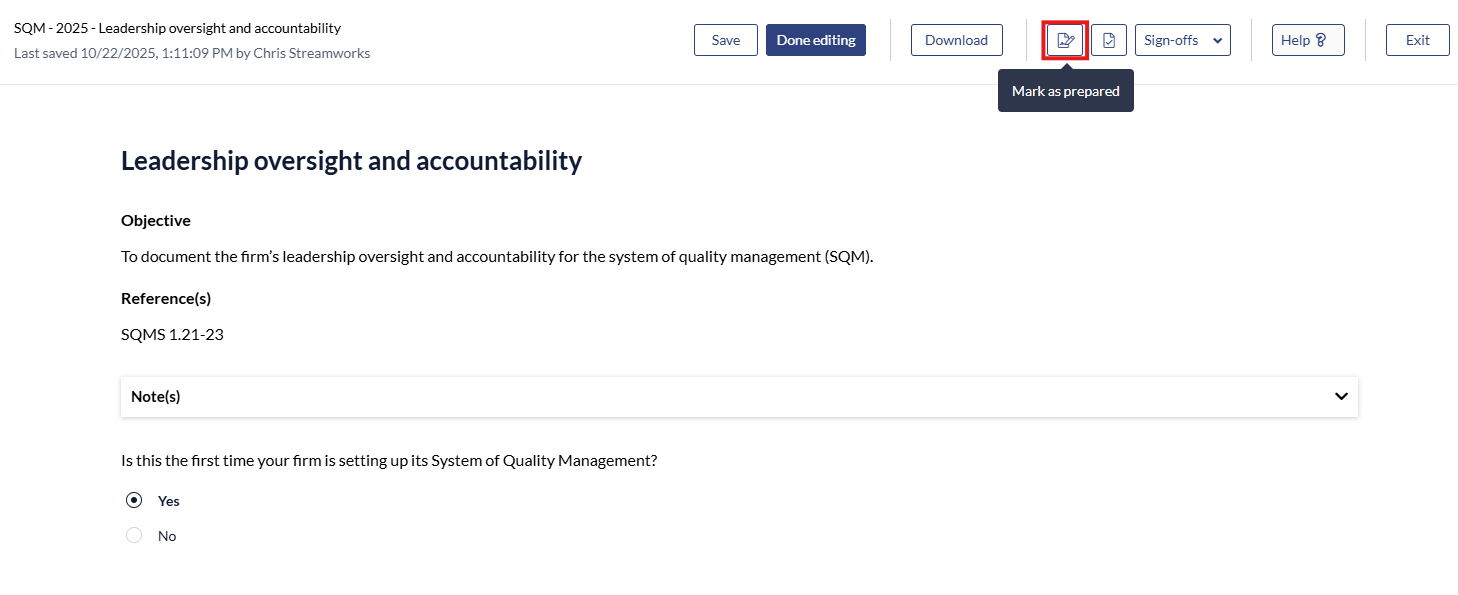
3. When the document has been reviewed and ready to be signed off, the reviewer can click this button.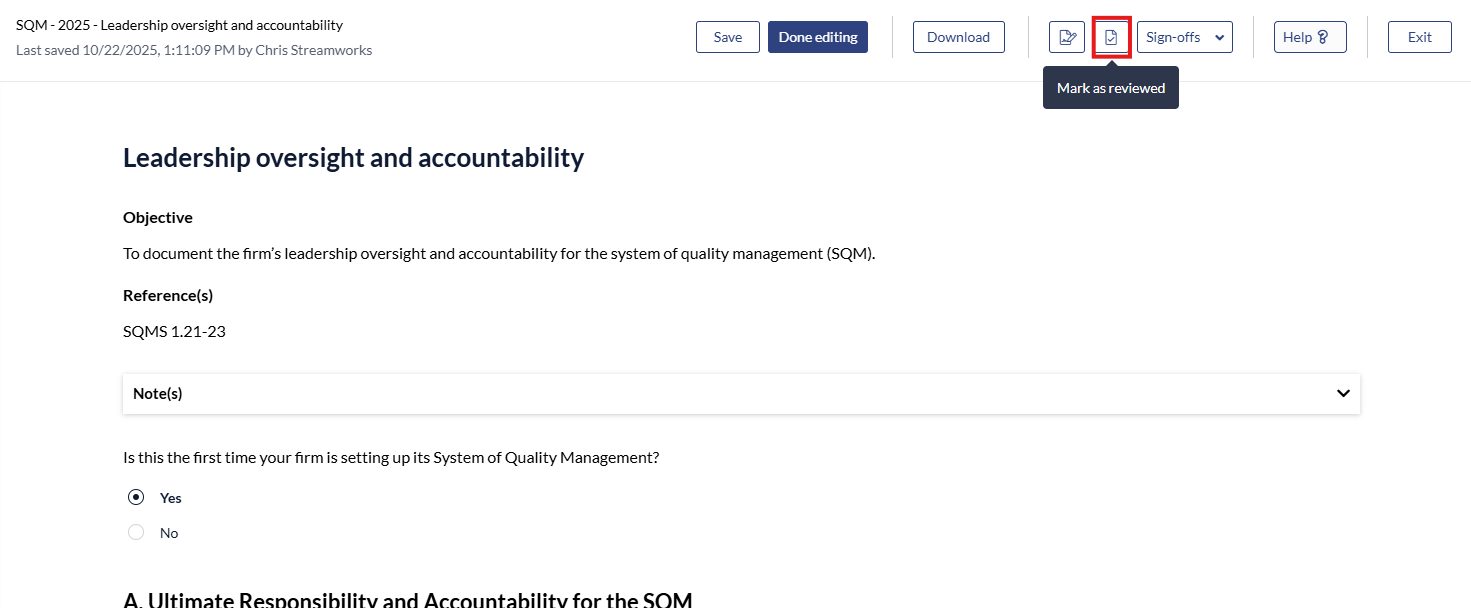
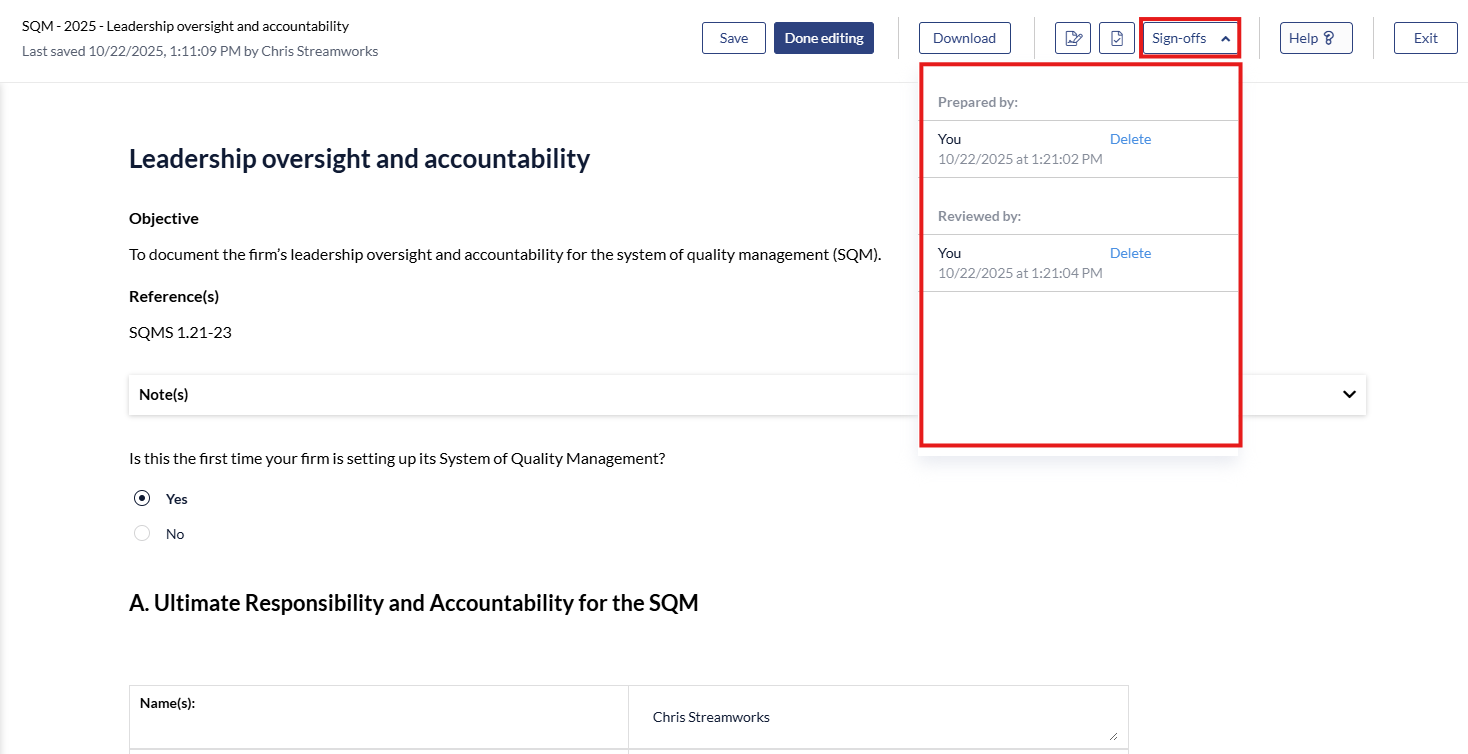
4. All Sign-Offs on the document can be reviewed with the 'Sign-Off' dropdown.
### Signing off as Prepared and Reviewed from the Documents page
1. Select the form you want to 'Sign-Off' by clicking the check box.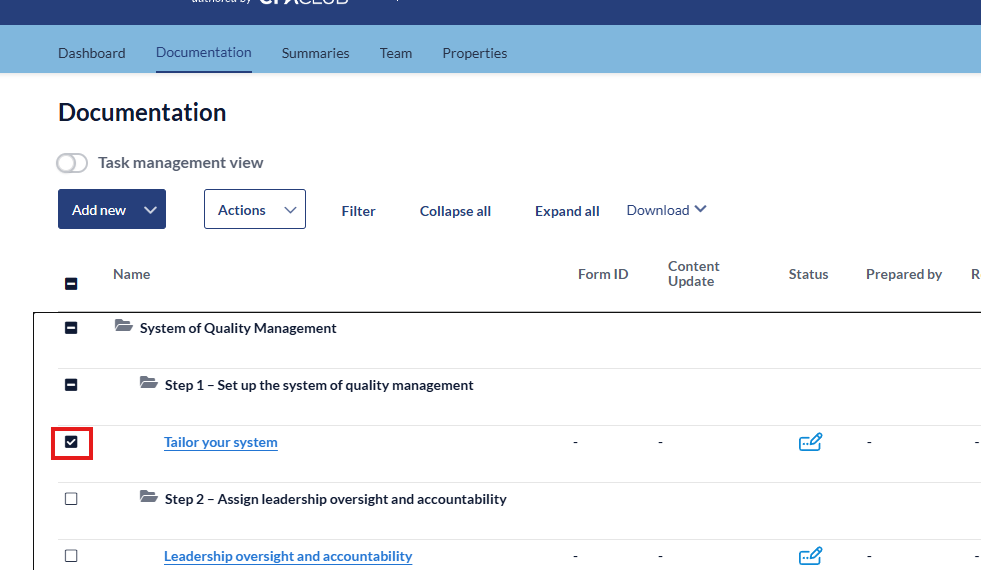
2. Click the 'Actions' dropdown menu, select 'Mark As' and select whether the document has been reviewed or prepared.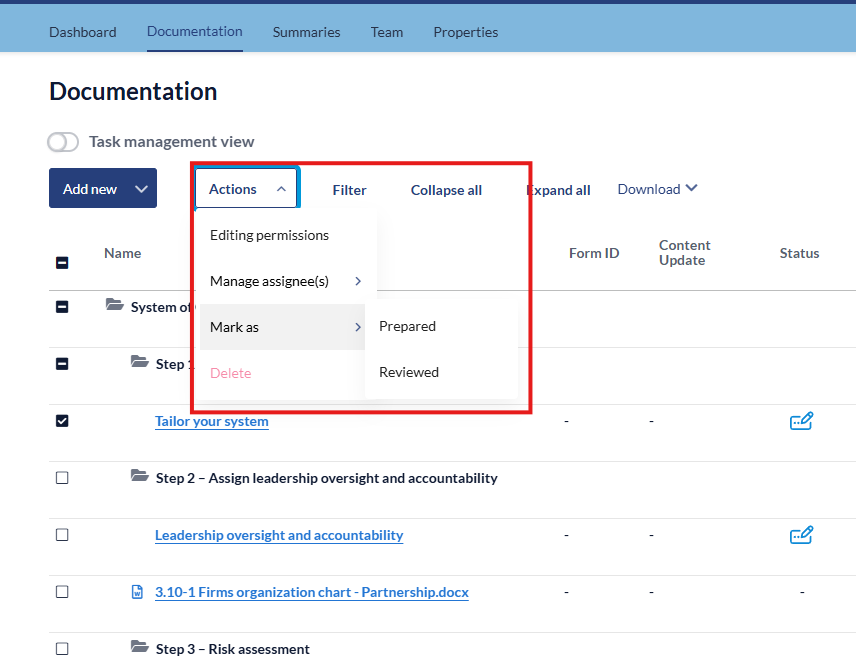
- [User Guide](https://crm.streamworkstech.com/sqmknowledge/user-guide?hsLang=en#main-content)
- [Getting Started](https://crm.streamworkstech.com/sqmknowledge/user-guide?hsLang=en#getting-started)
- [Form Functionality](https://crm.streamworkstech.com/sqmknowledge/user-guide?hsLang=en#form-functionality)
- [Application Functionality](https://crm.streamworkstech.com/sqmknowledge/user-guide?hsLang=en#application-functionality)
- [Common Tools](https://crm.streamworkstech.com/sqmknowledge/user-guide?hsLang=en#common-tools)
- [Support and Account Help](https://crm.streamworkstech.com/sqmknowledge/user-guide?hsLang=en#support-and-account-help)
[](https://streamworkstech.com/)
[mailto:email@email.com](mailto:email@email.com)
Copyright © 2026, Streamworks Tech Inc.