---
title: Identify Findings and Remediate Deficiencies
description: Accessing the remediate and identify findings and deficiencies
---
[Skip to content](https://crm.streamworkstech.com/sqmknowledge/identify-findings-and-remediate-deficiencies#main-content)
English
Show submenu for translations

Open main navigation
Close main navigation
- English
Show submenu for translations
- [Contact us](https://share.hsforms.com/1PJtrC1B7Squ0Pompg3m5iAeaa0v)
[Contact us](https://share.hsforms.com/1PJtrC1B7Squ0Pompg3m5iAeaa0v)
How can we help you?
- There are no suggestions because the search field is empty.
1. [SQM Guide](https://crm.streamworkstech.com/sqmknowledge?hsLang=en)
2. [User Guide](https://crm.streamworkstech.com/sqmknowledge/user-guide?hsLang=en)
3. [Form Functionality](https://crm.streamworkstech.com/sqmknowledge/user-guide?hsLang=en#form-functionality)
# Identify Findings and Remediate Deficiencies
## This guide will take you through understanding how to interact with the 'Identify Findings and Remediate Deficiencies' form
### Key Functions
- Adding Findings
- Interacting with Findings
- Conclusion
### Adding Findings
This form will have the findings added via the common tool feature. [See the guide here on how to add those.](https://crm.streamworkstech.com/sqmknowledge/findings-common-tool?hsLang=en)
### Interacting with Findings
1. All Findings added through the system will be populated in this table.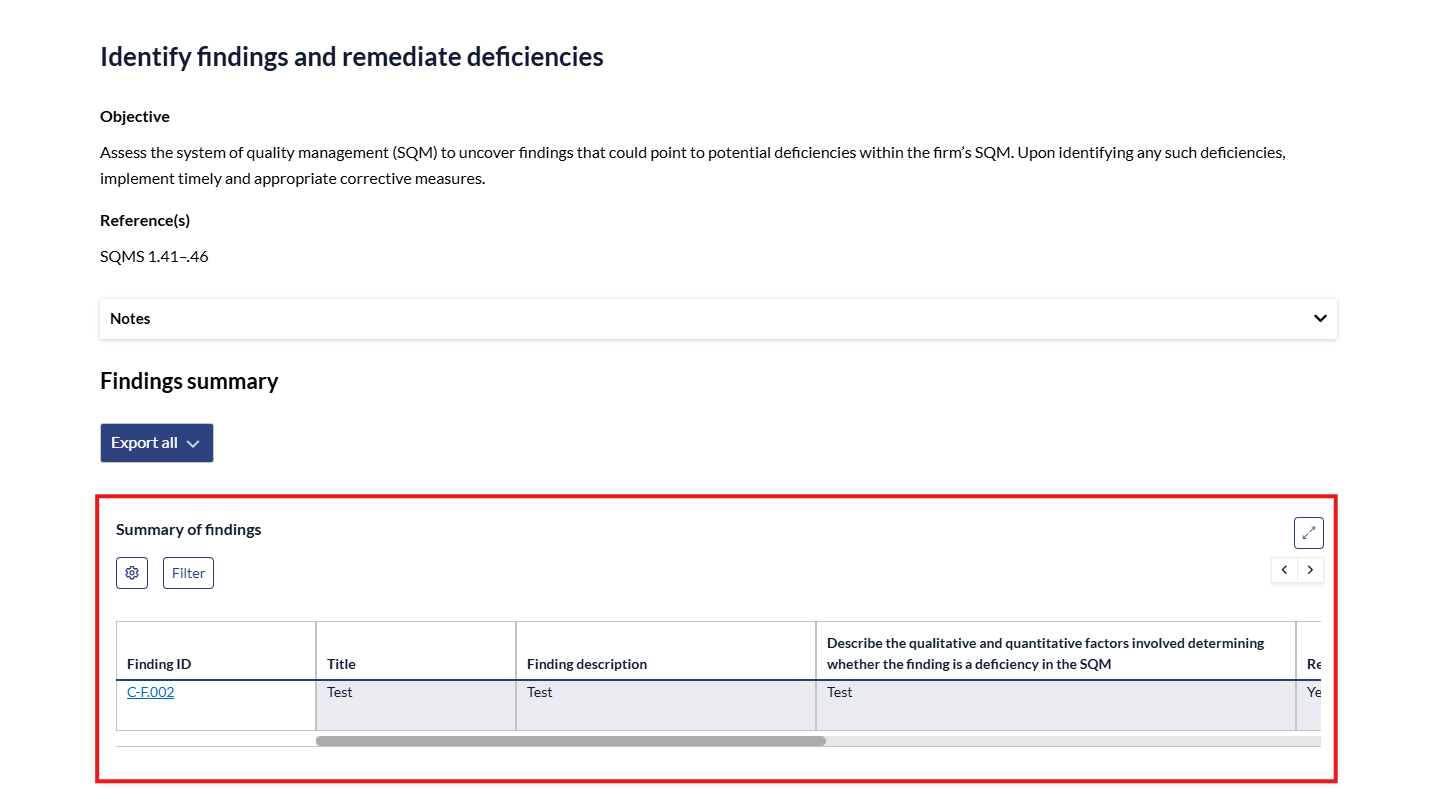
2. By clicking the 'Finding ID' you will open the panel to the right.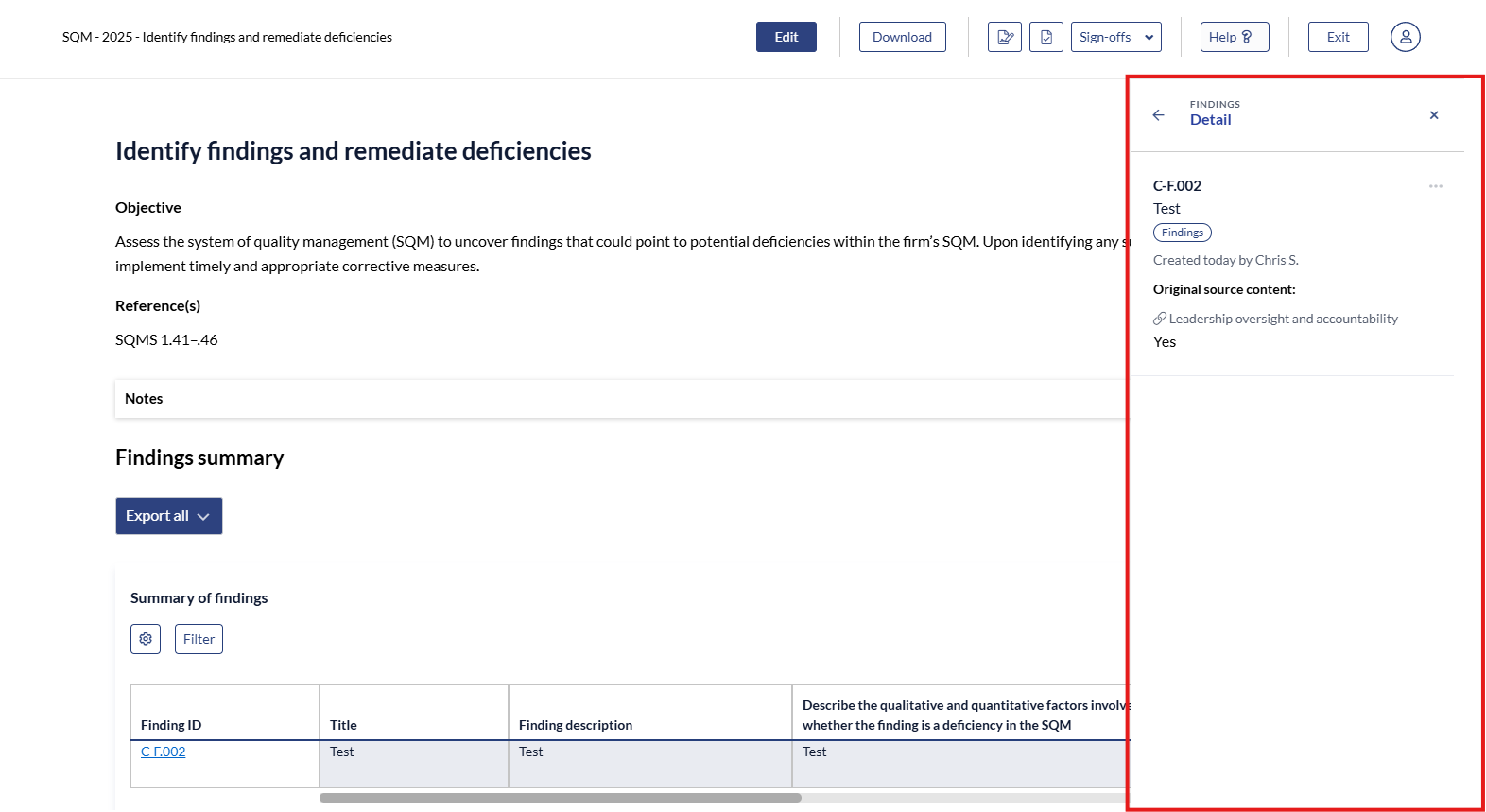
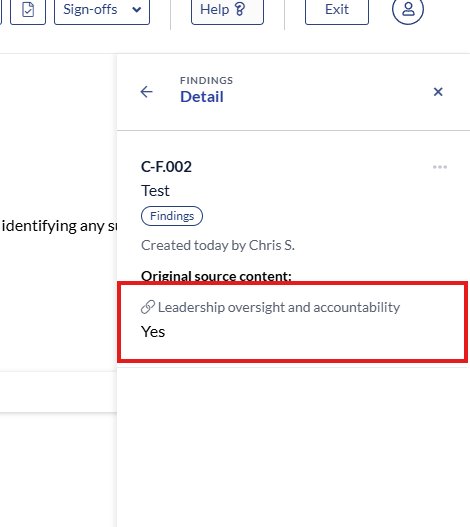
3. You can go to the source form where the finding exists by clicking the link under 'Original Source Content'.
4. To best see the whole line, you can expand the table by clicking the expand button. You can also use the slider to slide across the whole line.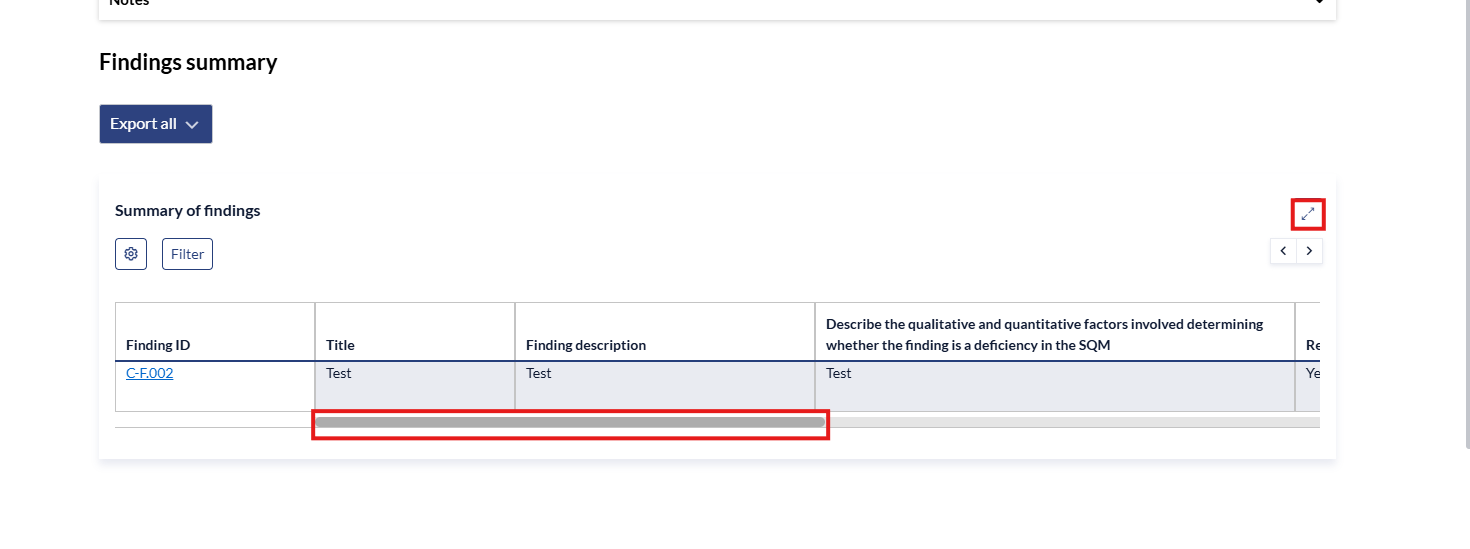
### Conclusion
To conclude on all findings, go to the 'Conclusion' tab on the left and click the radial button next to the most appropriate choice for your firm. 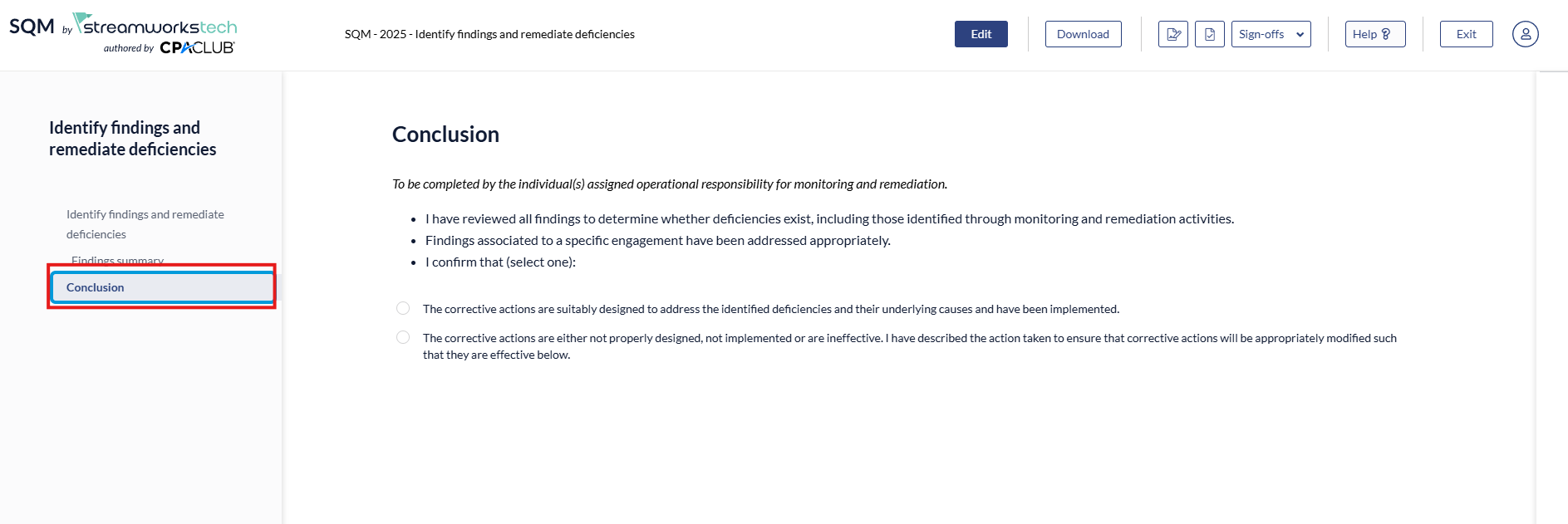
- [User Guide](https://crm.streamworkstech.com/sqmknowledge/user-guide?hsLang=en#main-content)
- [Getting Started](https://crm.streamworkstech.com/sqmknowledge/user-guide?hsLang=en#getting-started)
- [Form Functionality](https://crm.streamworkstech.com/sqmknowledge/user-guide?hsLang=en#form-functionality)
- [Application Functionality](https://crm.streamworkstech.com/sqmknowledge/user-guide?hsLang=en#application-functionality)
- [Common Tools](https://crm.streamworkstech.com/sqmknowledge/user-guide?hsLang=en#common-tools)
- [Support and Account Help](https://crm.streamworkstech.com/sqmknowledge/user-guide?hsLang=en#support-and-account-help)
[](https://streamworkstech.com/)
[mailto:email@email.com](mailto:email@email.com)
Copyright © 2026, Streamworks Tech Inc.