Contents
- Downloading from the Documents Page
- Downloading from a Document
Downloading from the Documents Page
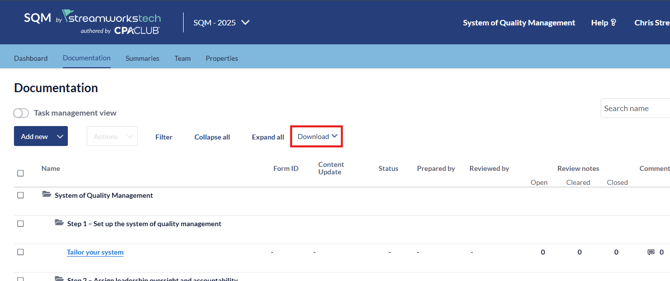
- Click the 'Download' dropdown.
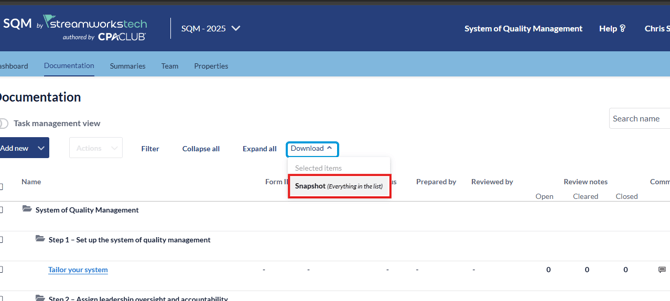
- Click 'Snapshot' if you want to download your whole SQM.
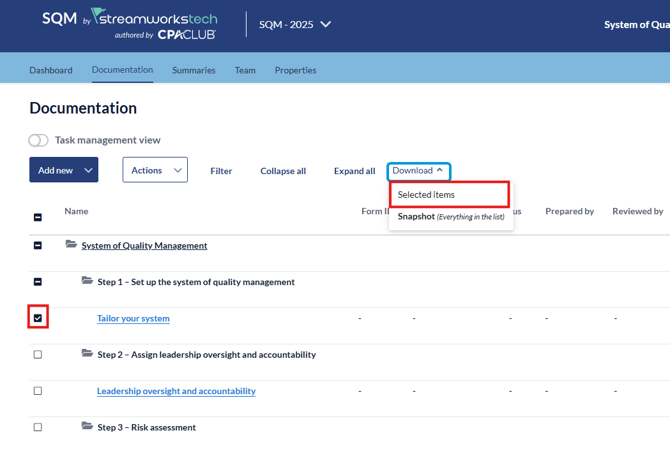
- If you only want to download specific forms, click the checkbox next to the form and click 'Selected Items' from the dropdown.
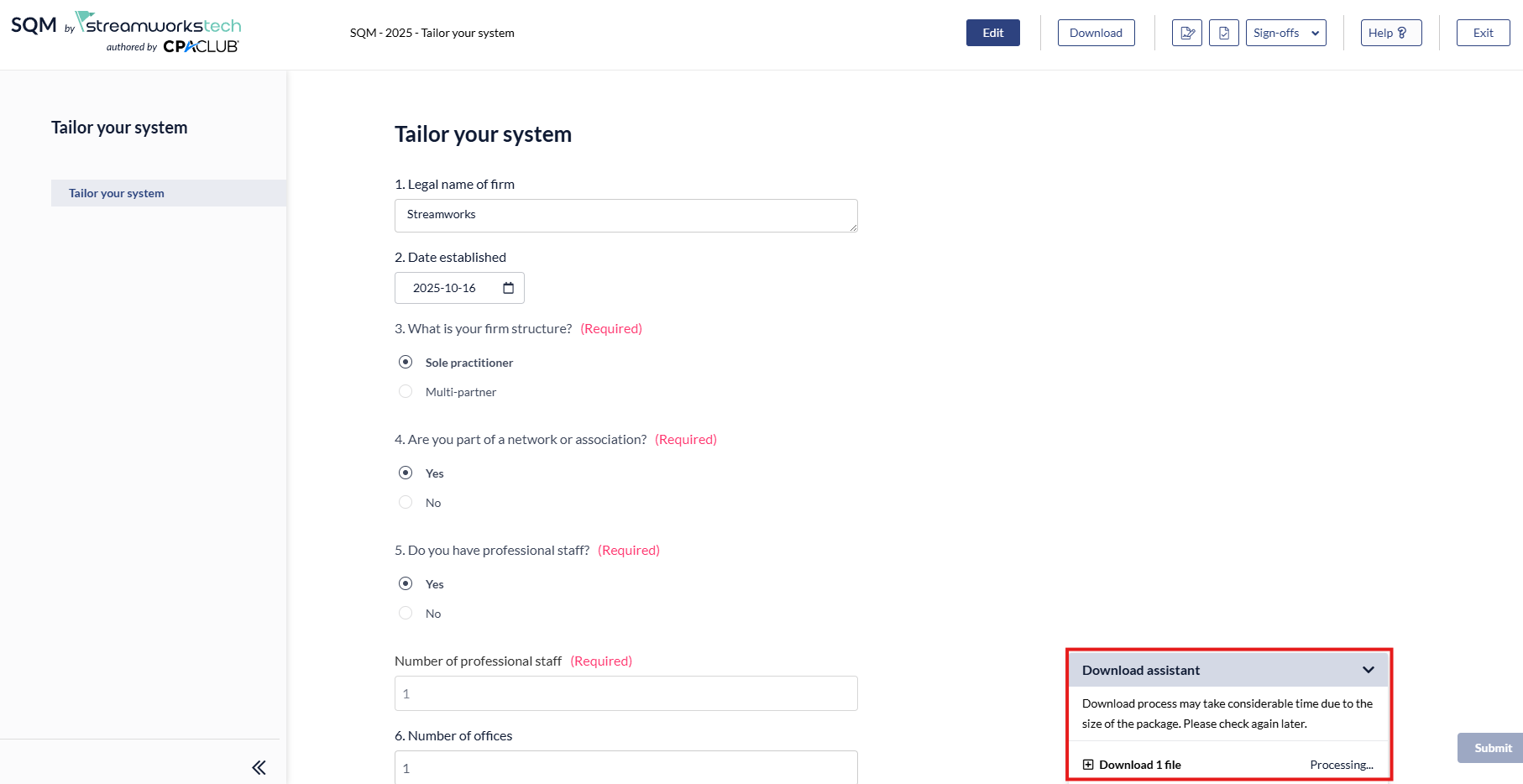
- Once you have initiated the download, the download assistant will appear.
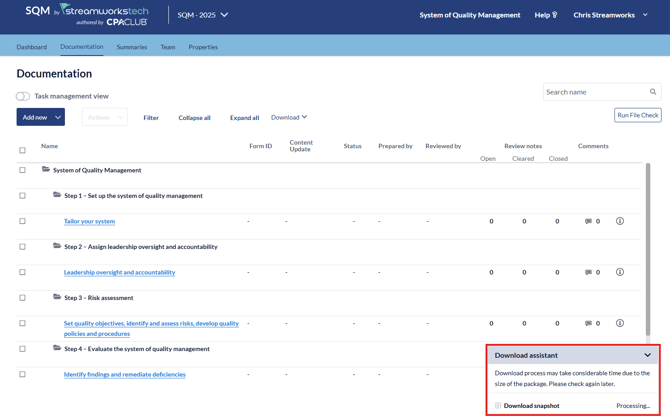
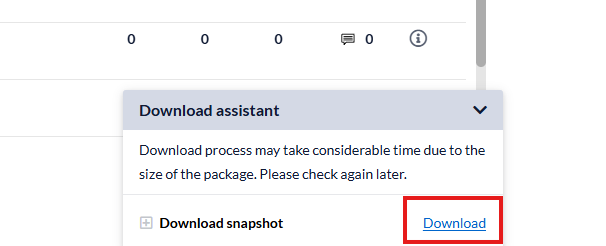
- When the download is ready to download to your computer, the 'Processing...' message will turn into a blue download button.
Downloading from a Document
- If you are downloading from a specific form, it will only download that form.
- To begin the download, click the download button.
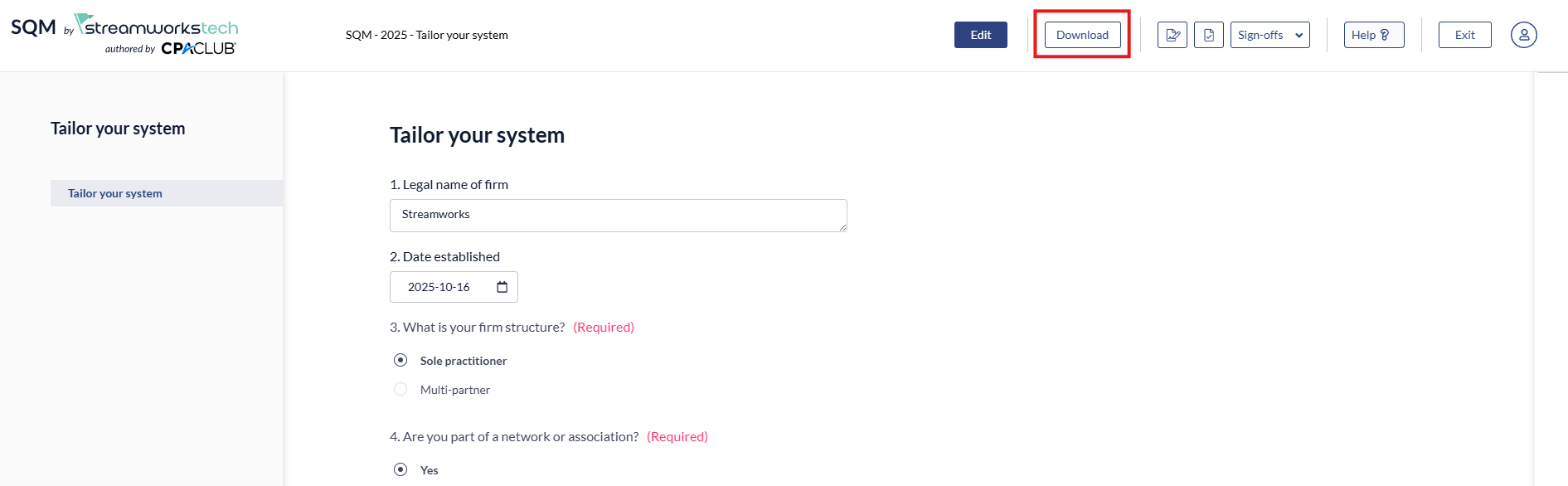
- This will open the Download assistant and prepare the download similar to the above flow.