---
title: Cross-Reference Common Tool
description: Cross-Reference Common Tool
---
[Skip to content](https://crm.streamworkstech.com/sqmknowledge/cross-reference-common-tool#main-content)
English
Show submenu for translations

Open main navigation
Close main navigation
- English
Show submenu for translations
- [Contact us](https://share.hsforms.com/1PJtrC1B7Squ0Pompg3m5iAeaa0v)
[Contact us](https://share.hsforms.com/1PJtrC1B7Squ0Pompg3m5iAeaa0v)
How can we help you?
- There are no suggestions because the search field is empty.
1. [SQM Guide](https://crm.streamworkstech.com/sqmknowledge?hsLang=en)
2. [User Guide](https://crm.streamworkstech.com/sqmknowledge/user-guide?hsLang=en)
3. [Common Tools](https://crm.streamworkstech.com/sqmknowledge/user-guide?hsLang=en#common-tools)
# Cross-Reference Common Tool
### Key Functions
- Creating a Cross-Reference
- Deleting a Cross-Reference
### Creating a Cross-Reference
1. Select the 'Cross-Reference' option from the menu.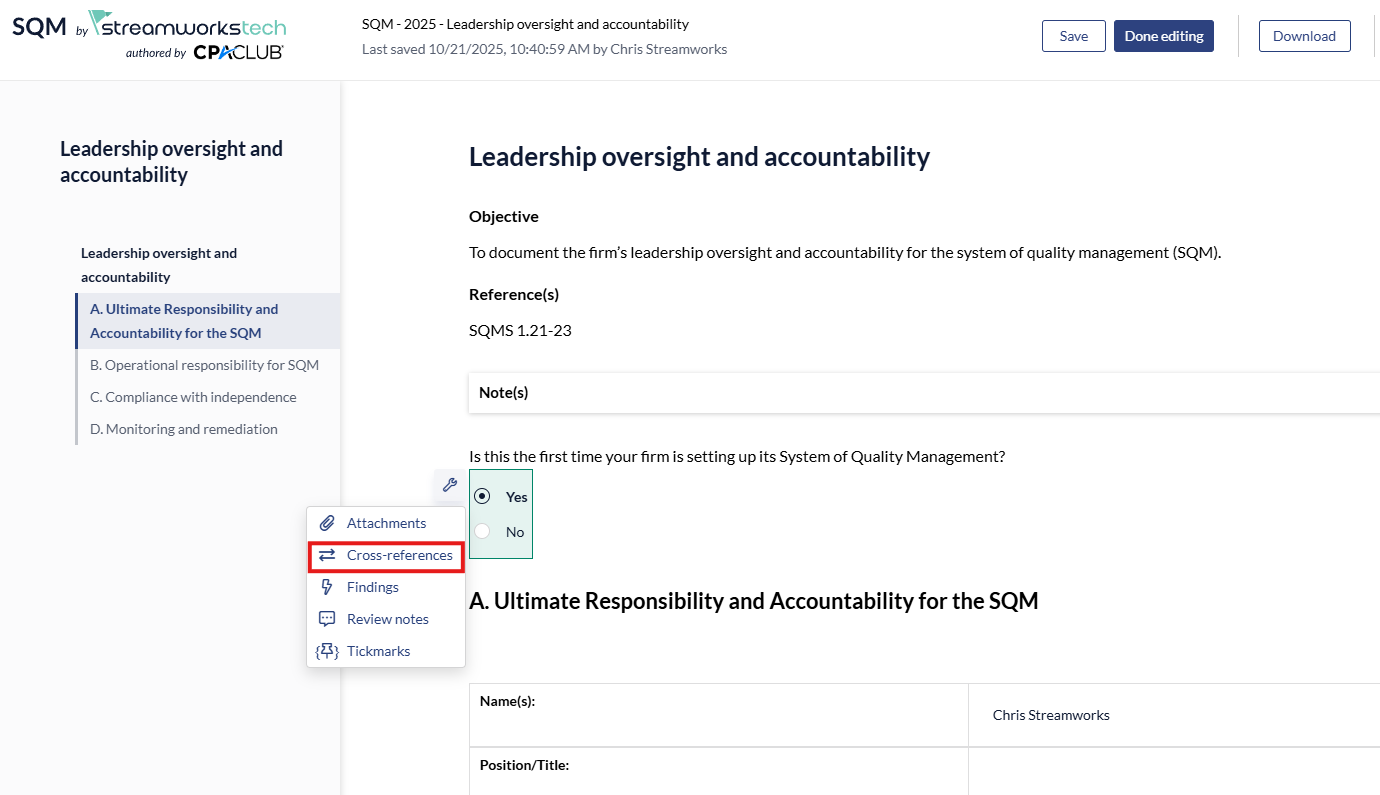
2. Select the 'Initiate Cross Reference' check box and click 'Create'.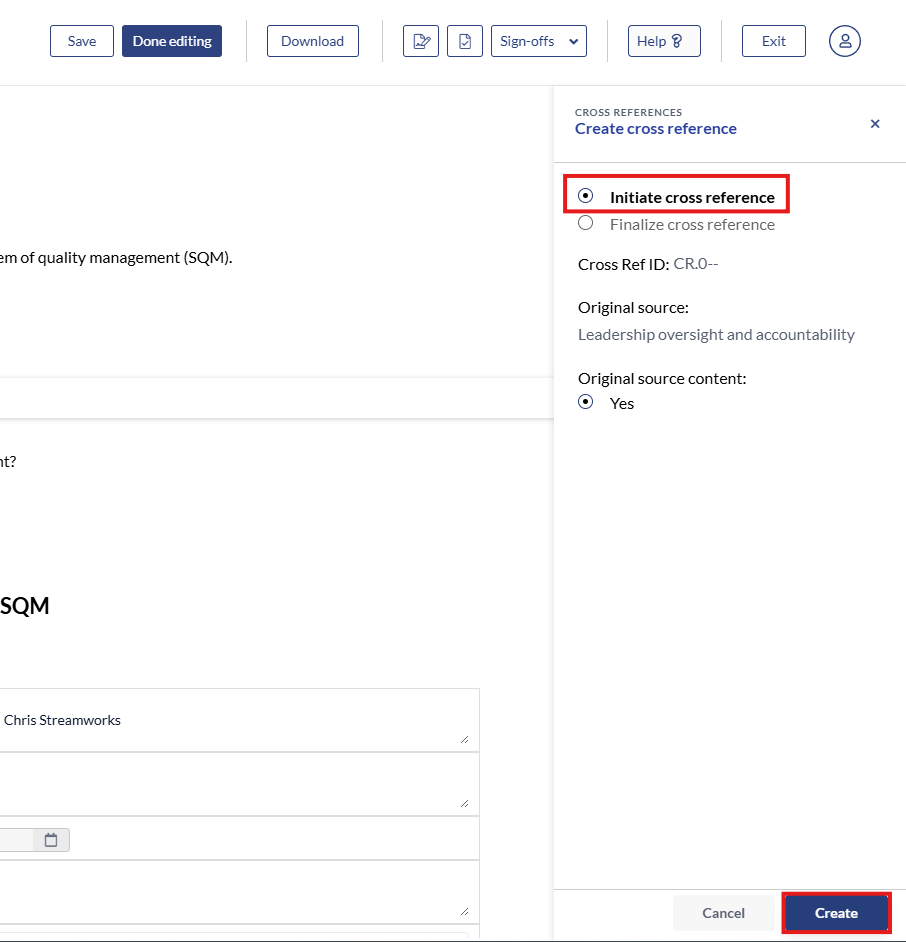
3. The Cross Reference is now initiated, ready to be finalized in another section of the SQM.
4. Click the wrench icon and select 'Cross Reference' again at the new point of information.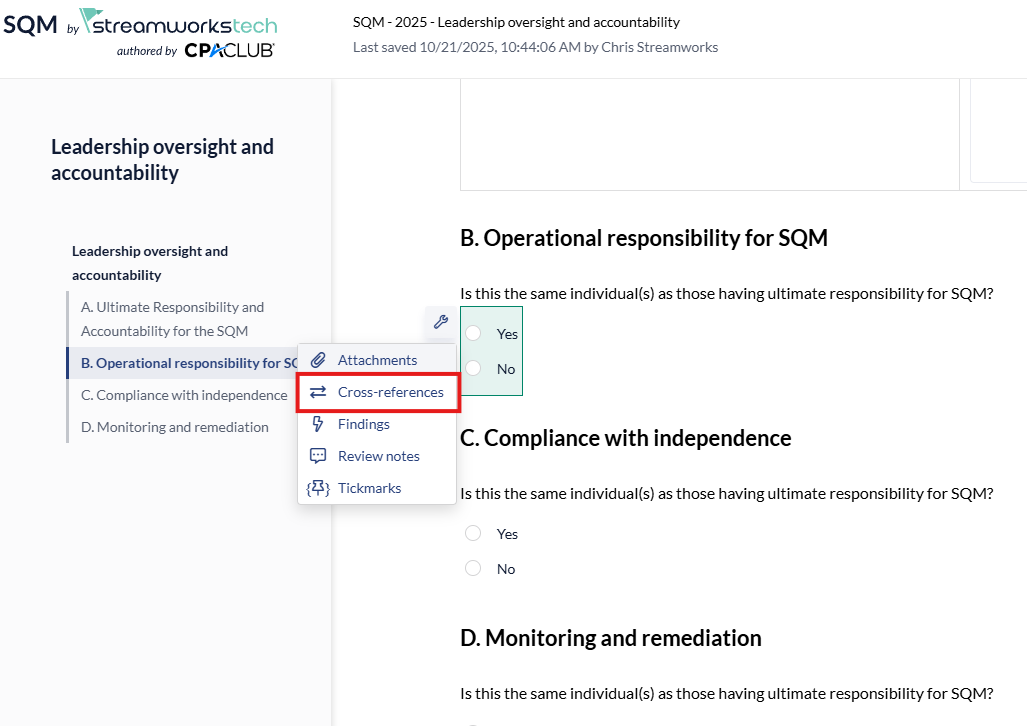
5. Click the 'Finalize' option, click the checkbox next to the initialized cross reference and click 'Create' to finish. 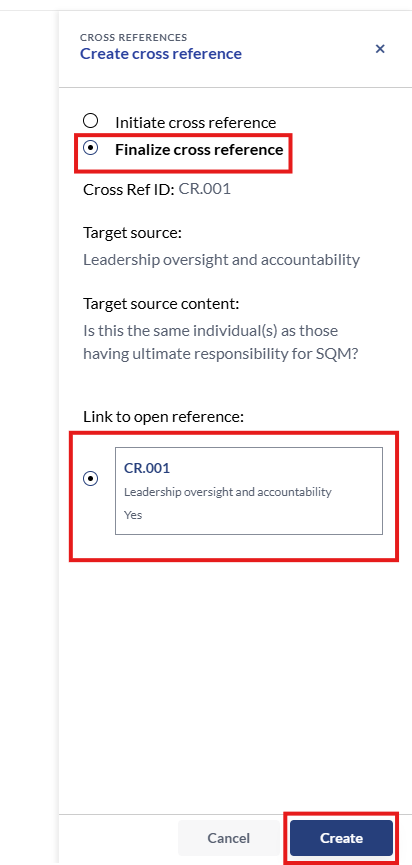
### Deleting a Cross Reference
If a cross-reference source is deleted, it will also delete the finalized cross reference attached to it.
1. Click the 'Cross Reference' icon in the right panel.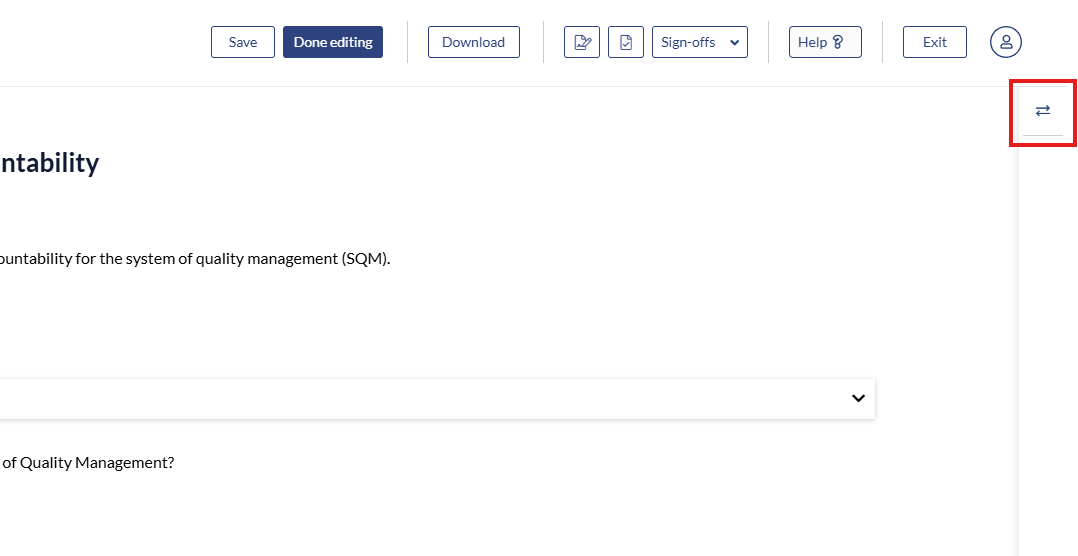
2. Click the 3 dot menu and select 'Delete'.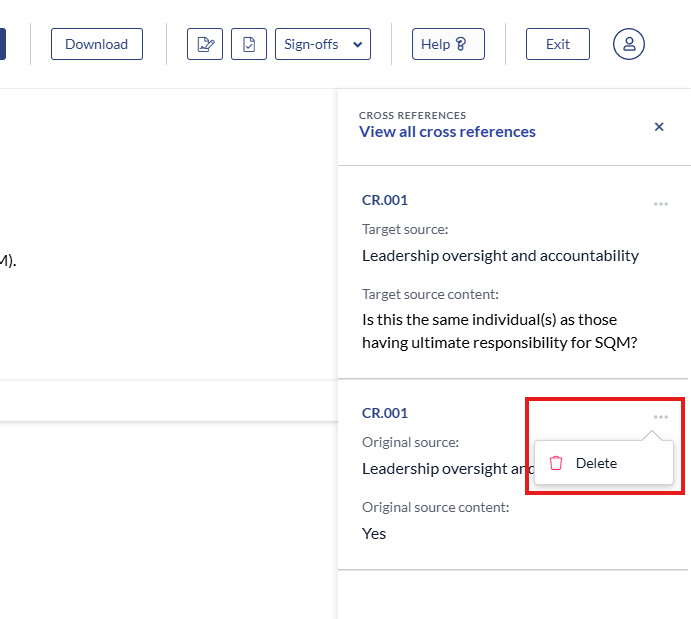
- [User Guide](https://crm.streamworkstech.com/sqmknowledge/user-guide?hsLang=en#main-content)
- [Getting Started](https://crm.streamworkstech.com/sqmknowledge/user-guide?hsLang=en#getting-started)
- [Form Functionality](https://crm.streamworkstech.com/sqmknowledge/user-guide?hsLang=en#form-functionality)
- [Application Functionality](https://crm.streamworkstech.com/sqmknowledge/user-guide?hsLang=en#application-functionality)
- [Common Tools](https://crm.streamworkstech.com/sqmknowledge/user-guide?hsLang=en#common-tools)
- [Support and Account Help](https://crm.streamworkstech.com/sqmknowledge/user-guide?hsLang=en#support-and-account-help)
[](https://streamworkstech.com/)
[mailto:email@email.com](mailto:email@email.com)
Copyright © 2026, Streamworks Tech Inc.