
Body
Key Functions
- Ability to View, Add, Edit and Delete Procedure
User Flow
Ability to View, Add, Edit and Delete Procedure
- On clicking on “Procedure” sub-tab, user will be able to view “Search box” and “Add procedure” button.
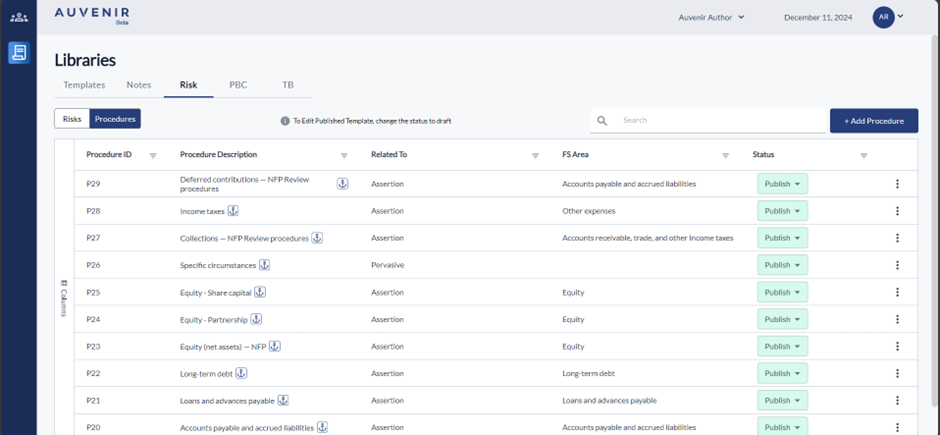
- On clicking on “Add procedure”, a pop will open, which will let the user to create a new procedure, and the pop-up information are as follows:
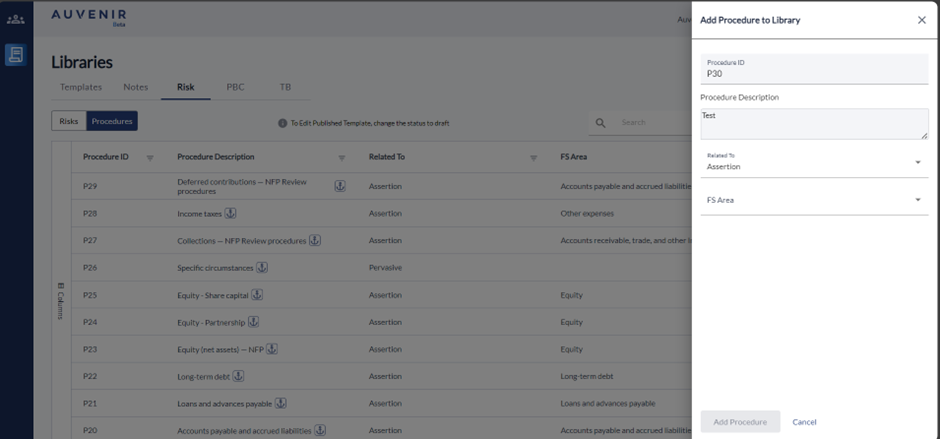
- Procedure ID – It is a Prepopulated field; however, user can modify it as well with a validation of duplication check
- Procedure Description – Editable text field for manual entering of value.
- Related to - Dropdown with two options” Pervasive” and “Assertion” will display and single select only.
- While selecting “Assertion” another dropdown will appear for “FS Area” with single select option like Revenue, Cost of sales, payroll, other expenses etc.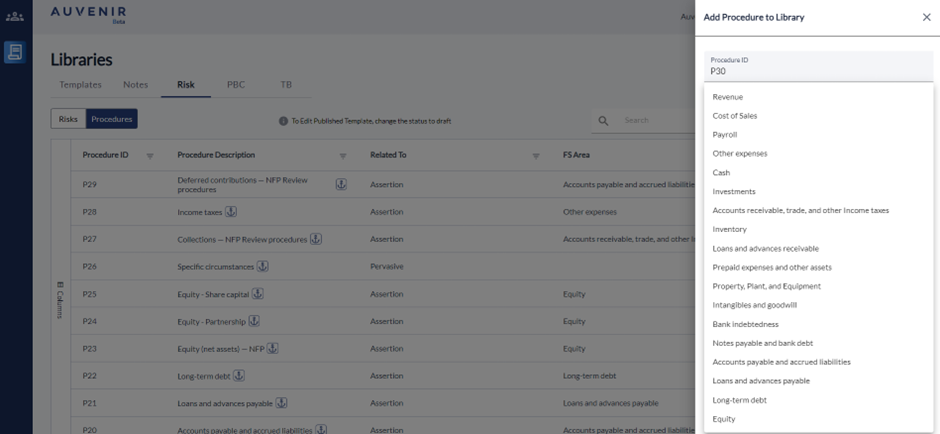
- On clicking on ‘Add Procedure” button will repurpose this entered information in grid.
- Clicking on ‘Cancel’ will discard the entered field.
- The Procedure grid will have column as Procedure ID, Procedure Description, Related to, FS Area and Status. The "Status" column has a dropdown with three options: "published," "draft," or "inactiv” “Published” option enables the Procedure to be available for All Firms or user selected firms with an Anchor tag. “Draft” status basically means the document is currently being edited and will enable the user to create/edit the procedure. By default, the procedure will be in “draft” mode. While selecting “Inactive” option the procedure will be inactive and cannot be used in any firm.
- The grid header will have filter option to view filtered content based on the requirement.
- On clicking on the ellipse option user can “edit” or “Delete” the procedure created.